
Moderators and campaign managers with access to the "All Ideas/All Campaign Data" pages, can download the attachments of ideas.
Below are two options to export ideas' attachments:
Option 1: All Ideas Report
Navigate to Reports → All Ideas, or: <URL>/ssb_all_ideas_data
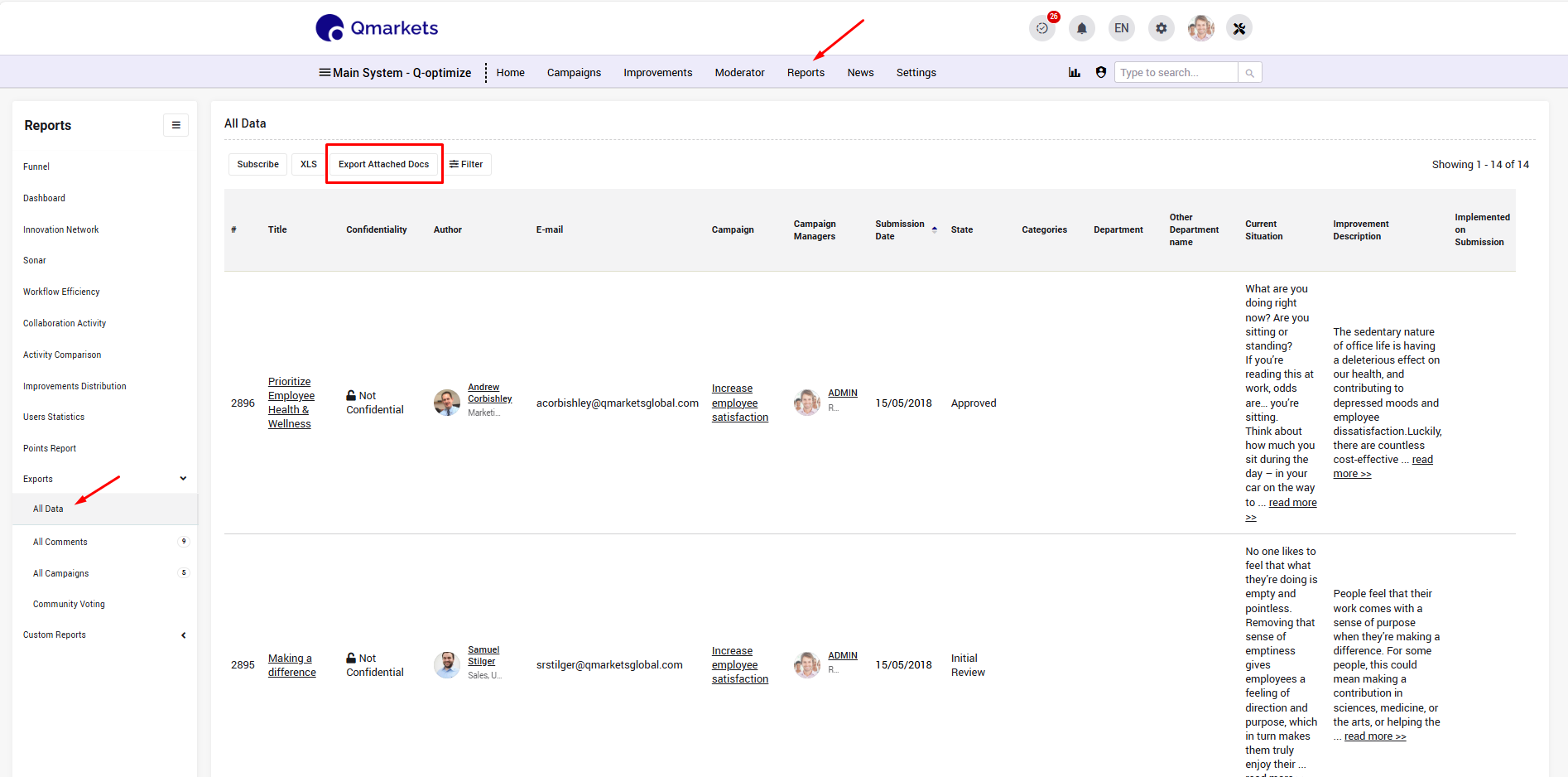
Option 2: Campaign-Level Export
At the campaign level, navigate to Campaign Insights → All Campaign Data:
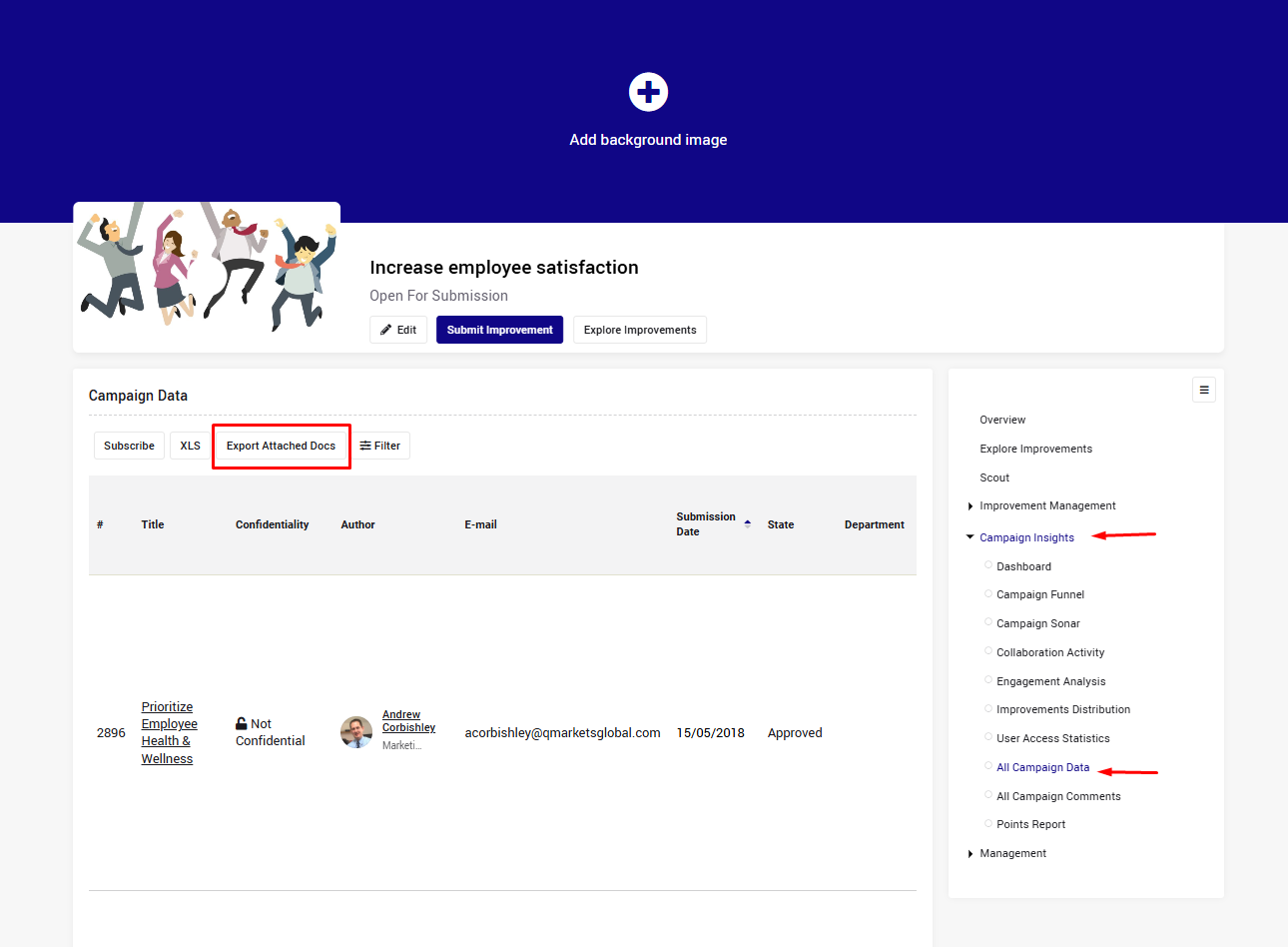
Important: The Export Attached Docs option is limited to 250 rows per iteration. If you need to export more rows, please contact help@qmarkets.net.
Note: Export the information and documentation separately using the two available buttons (XLS & Export Attached Docs)
If you do not see this Export option, please contact help@qmarkets.net.