
The state transition permissions refer to the ability to manually move an entity (i.e. an idea/project/startup etc.) from a specific state in the workflow to other states.
The below applied to all manual workflow transitions that can be perform:
- On a single entity:
- Via the idea page
- Via the kanban page/short teaser view/any other tracking page
- On multiple entities via the bulk action page.
The allowed transitions by the state owner of this state are defined per state as explained in this video.
.
Sysadmins and subsystem admins can always make any transition in the workflow.
Tenant admins and campaign managers are not limited by default (i.e. they have similar permissions to sysadmins and subsystem admin).
However, there is an option to limit the permission to include only the allowed transitions that are enabled per state (regardless if a state owner is assigned to this state or not).
If this is required, the below advanced configuration can be activated by your CSM(*).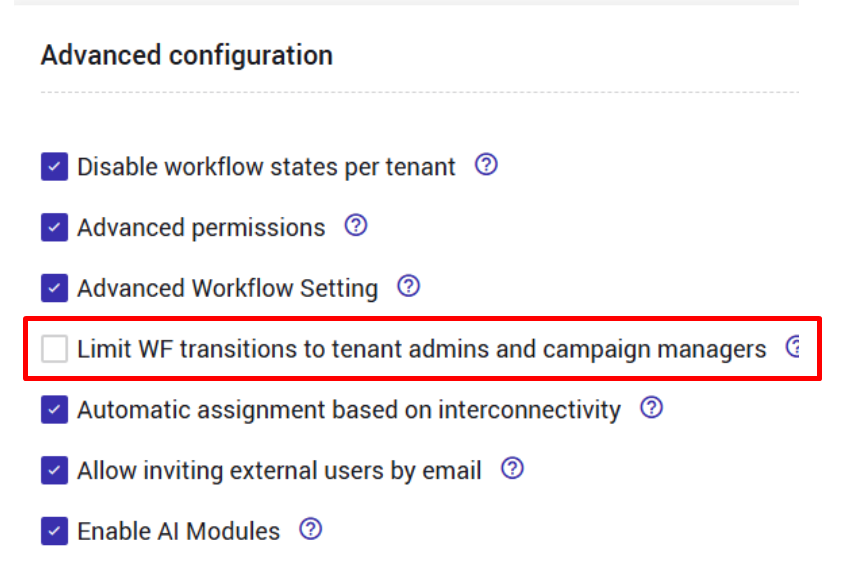
* Additional efforts might be required