
Overview
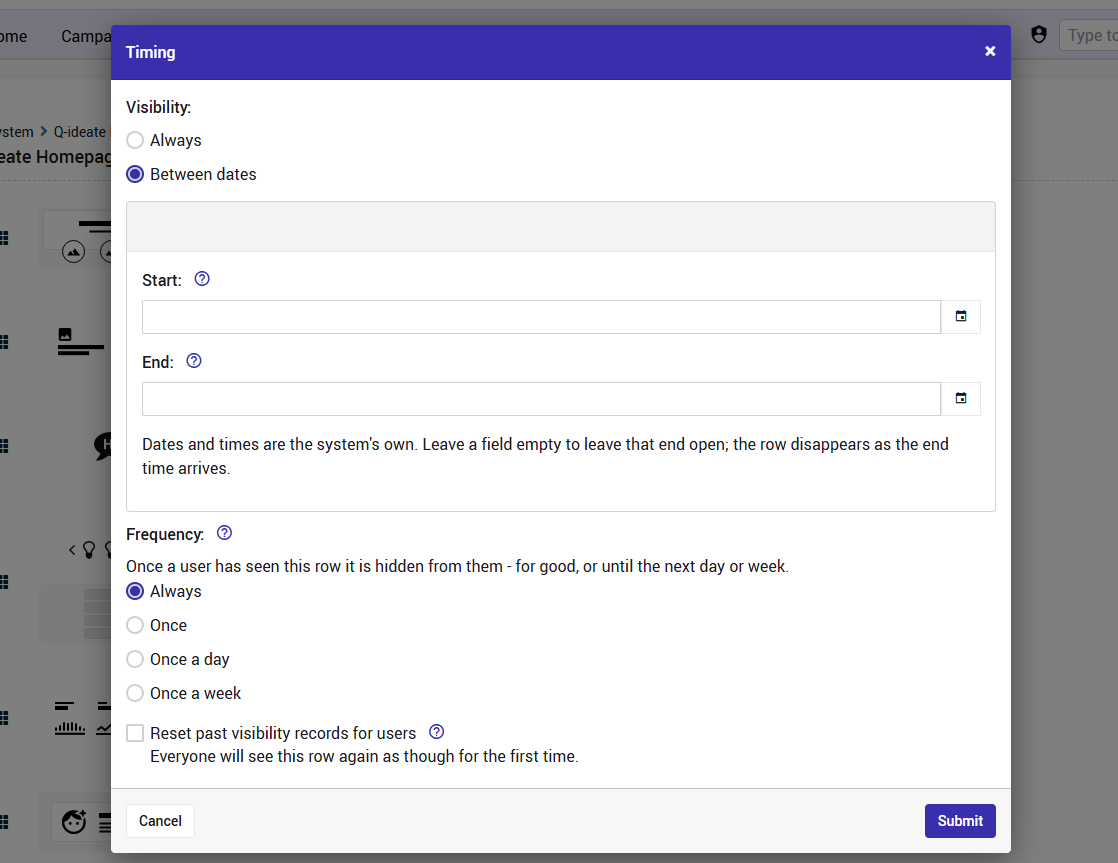
The Timing settings allow you to control when and how often a widget is displayed to users on the homepage.
For each widget, you can configure its Visibility and Frequency, as well as reset previous visibility records.
Accessing the Timing Settings
Navigate to the Homepage Customization page.
Locate the widget you would like to configure.
Open its settings and go to the Timing section.
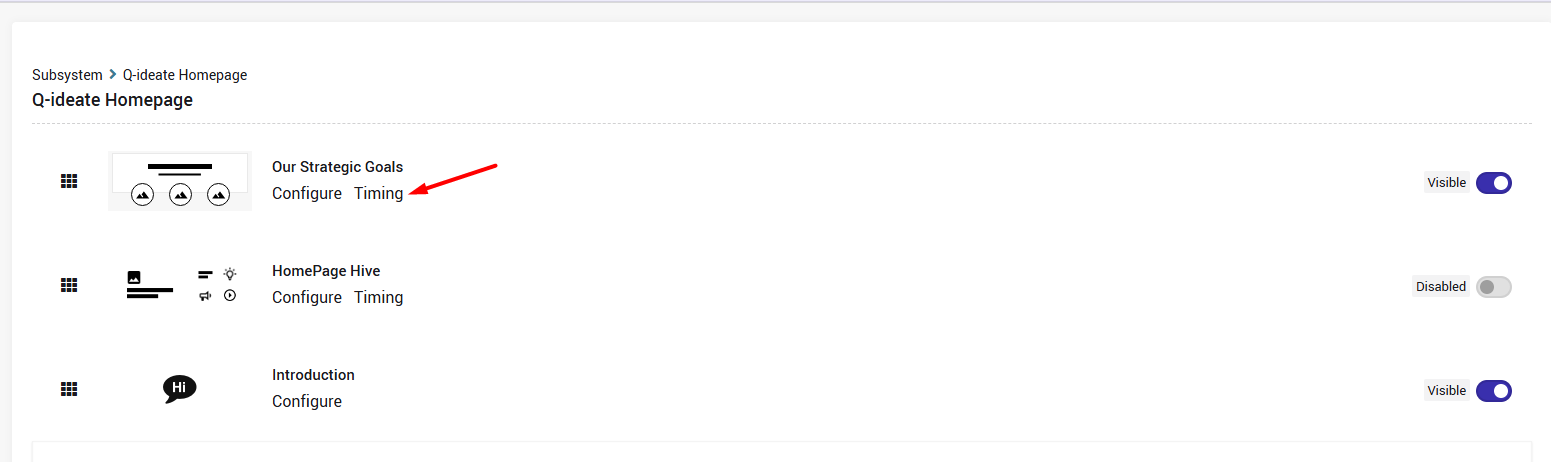
Visibility
The Visibility setting determines when the widget is displayed.
You can choose between:
Always – The widget is displayed without a date restriction.
Specific Date Range – The widget is displayed only during the selected date range.
Frequency
The Frequency setting determines how often each user sees the widget.
The available options are:
Always – The widget is displayed every time the user visits the homepage.
Once – The widget is displayed only once per user.
Once a Day – The widget can be displayed once per day for each user.
Once a Week – The widget can be displayed once per week for each user.
Resetting Visibility Records
The Reset past visibility records for users option allows you to clear the previous visibility history for all users for the selected row.
Once the records are reset, all users will see the row again as if they were viewing it for the first time.
This option is particularly useful when you want to display updated content again to users who have already seen it.
Homepage Customization Course – Learn more about homepage widgets and their configuration options.