Horizon is our research product, providing an interactive, dynamic landscape allowing you to explore and navigate the full picture of Trend & Foresight Intelligence. From there, you can easily access and evaluate every piece of data that can influence your future, including trends, technologies, startups, patents, signals, trajectories, and more.
It opens inside the Qmarkets system within an iFrame.
Enabling it is a behind-the-scenes setup performed by Qmarkets, and is completed in three stages: activating the feature at the system level (by Qmarkets), configuring the connection, and activating Horizon on each relevant subsystem (by Sysadmins).
Once the Horizon feature was activated in the system by Qmarkets (Please approach your CSM for that), you can activate the Horizon on each subsystem:
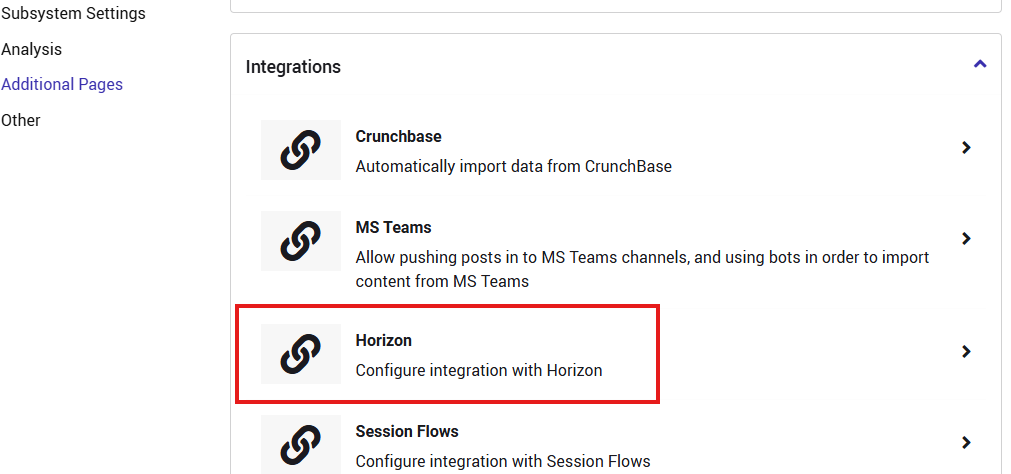
- Navigate to the subsystem settings. Horizon now appears in the list of integrations – select it.
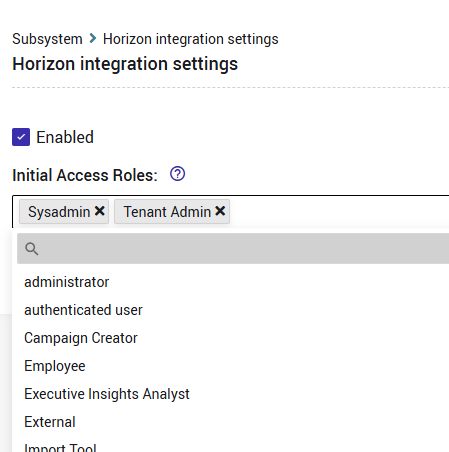
- Select the Enabled checkbox, then select the relevant roles under Initial Access Roles and click Save.