
While configuring the subsystem to meet your customized needs, you might have noticed the "Lock" icon next to specific states and fields.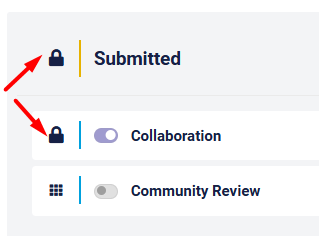
The logic behind having locked setting is to enable sysadmins to have maximum flexibility when configuring their subsystem while keeping the subsystem Integrity and usability even when these changes are being executed on production systems.
Locked States
There are 5 "Locked" states per workflow - these states cannot be fully deleted, but they can be almost fully edited, including their names, notifications and much more as explained in this course.
The locked states are:
- Draft - this is a "virtual" state that all pre-submitted submissions are associated to
- Submitted - The first state in the workflow - this is the state in which new submissions are created.
This state is usually called differently by default in each subsystem - Duplicated - this is the state submission will be transitioned to, when they are attached as "child" to another submission as explained here.
- Clarification - - this is the state submission should be transitioned to, when it is required to get an additional info from the submitter.
It is a "special" state, since the submitters are automatically granted with permissions to edit their submission as long as it's still in this state, and once they are done the submission will move back to the state it came from. - Clarification - - this is the state submission should be transitioned to, when it is required to get an additional info from the submitter.
It is a "special" state, since the submitters are automatically granted with permissions to edit their submission as long as it's still in this state, and once they are done the submission will move back to the state it came from.
Locked Submission fields
There are 5 "Locked" submission fields - these fields cannot be fully deleted, but they can be almost fully edited, including their names, notifications and much more as explained in this article
- Title- this is a "virtual" state that all pre-submitted submissions are associated to
- Main description field- the importance and uniqueness of this text field is explained here.
- Co-authors- users selected in this field will have the same permissions, and will get the same notifications as the author.
- Change author to- the importance of this user field is explined here
- Tenant Categories - the tenant categories are managed per tenant as explained here, but there is an option to edit their name and help text per subsystem