
Campaign managers can now Turn off workflow fields that aren’t relevant so reviewers see only what matters, speeding up idea processing and reducing errors.
These controls give managers precise governance and eliminate friction. The result is cleaner workflows, clearer responsibilities, faster decisions, and higher-quality outcomes—so your innovation efforts stay focused and impactful.
Steps to do it:
Within the Campaign Management → Workflow Fields in the campaign menu, simply disable the fields that should not be displayed and filled.
This helps ensure that only relevant workflow fields are displayed within the challenge.
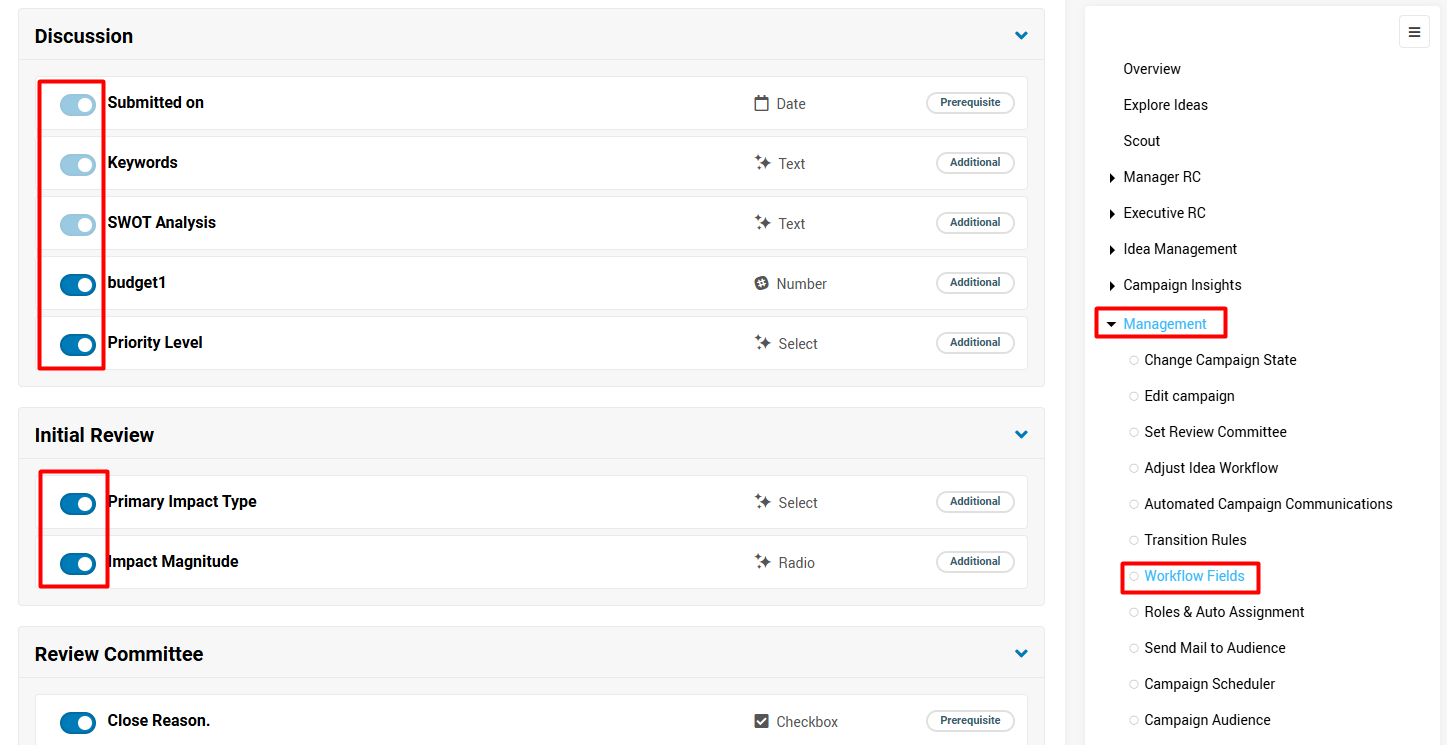
Note: Workflow fields that already contain data cannot be disabled.
To hide a workflow field, make sure there is no existing data stored in that field for the campaign.