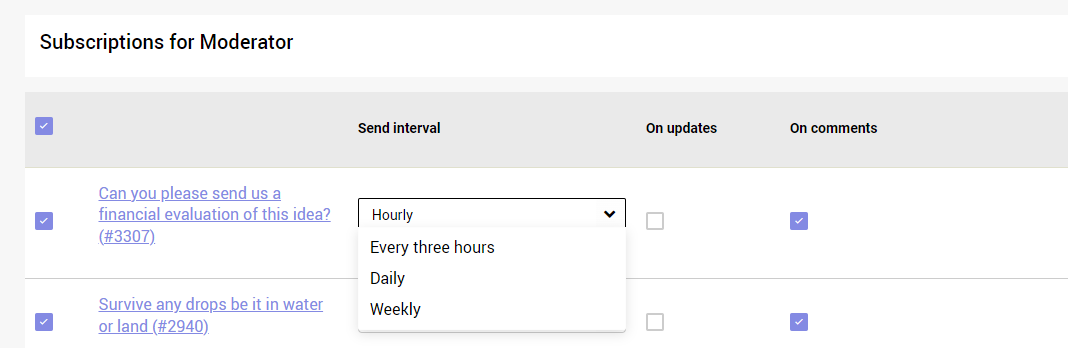
Any user in the system can subscribe to specific ideas/entities in the system, specific campaigns/challenges and specific areas-of-interests/categories.
By doing that, you can make sure you will be notified on the content that is most relevant to you without going into the system, and be promoted about it once you login.
But for this, you need to let us know what you care about, and are several ways of doing it.
How to subscribe to categories:
Subscribing to categories is not mandatory, buy highly recommended.
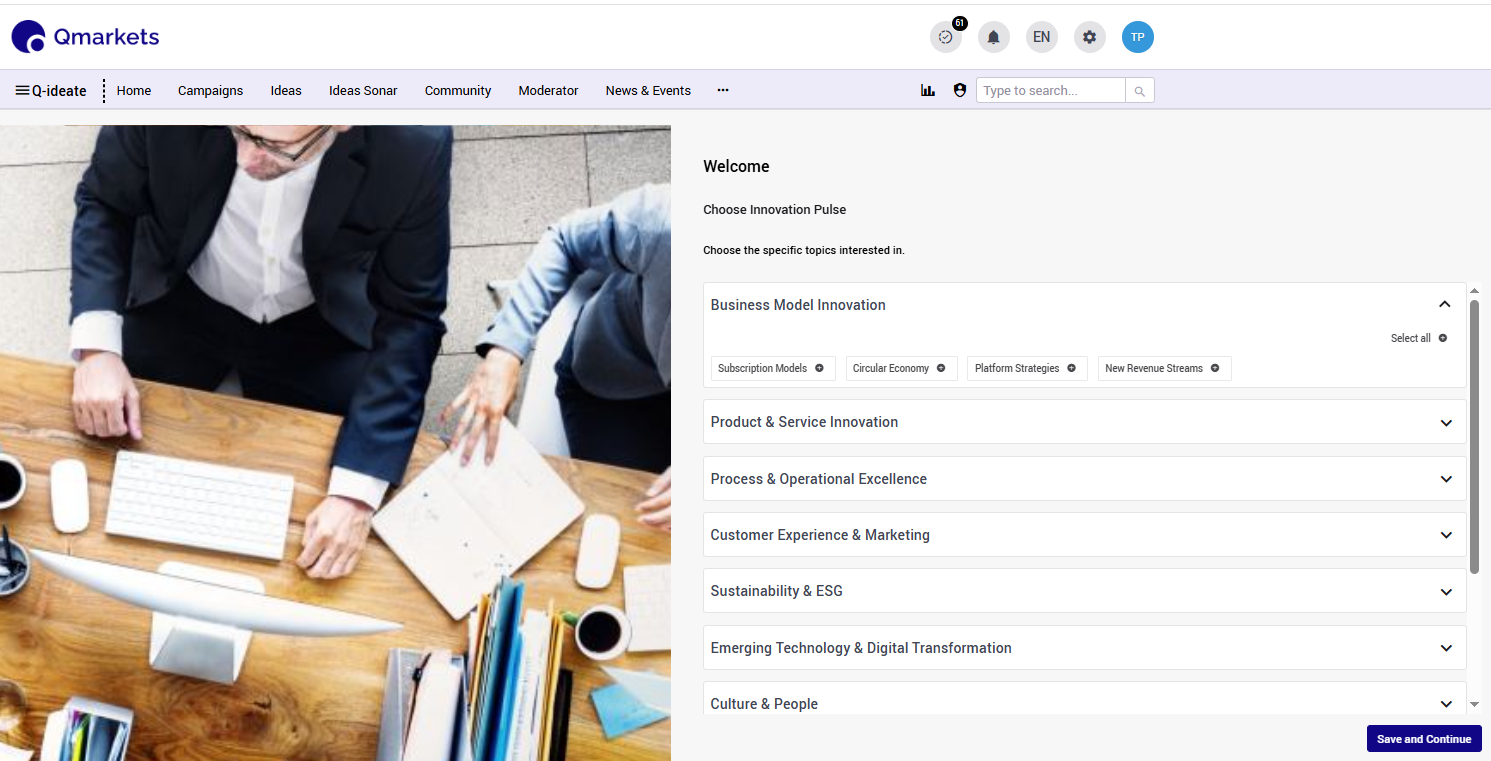
1. Upon first log in, users will have the chance to select their relevant categories of interests.
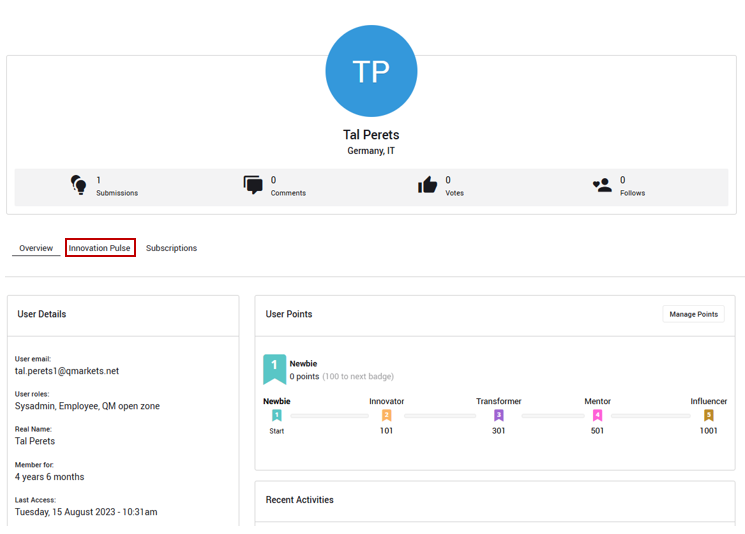
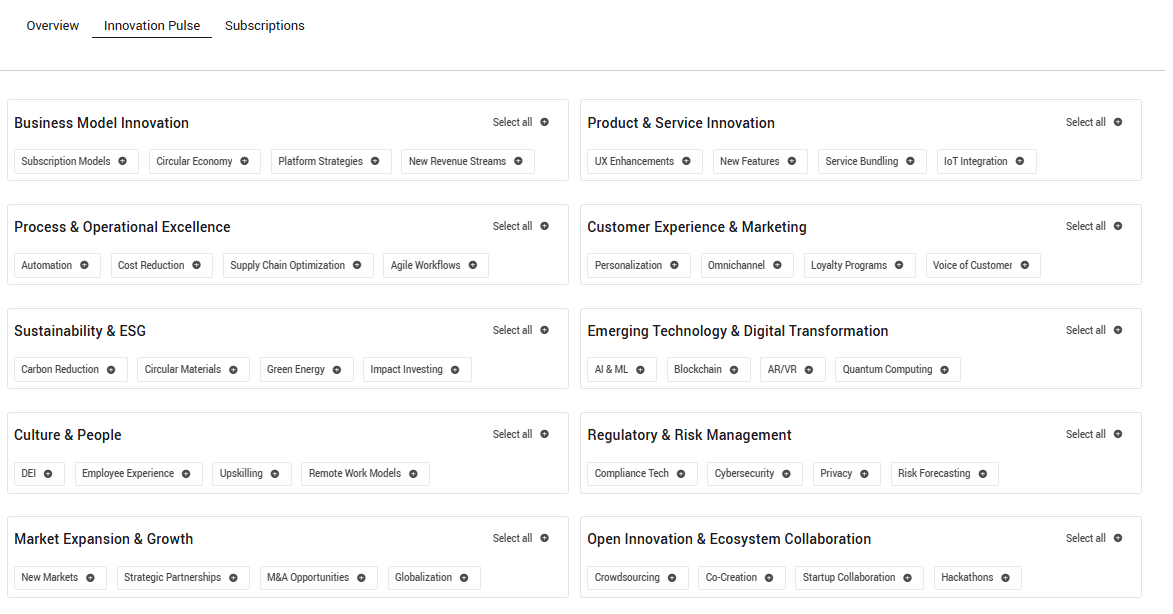
2. At any other timing, users can subscribe/change their subscription from the user's profile page:
How to subscribe to campaigns/challenges:
When a user subscribes to a campaign, they will receive an email with updates regarding new ideas submitted to this campaign.
Users can subscribe/unsubscribe from the top right side of the campaign image
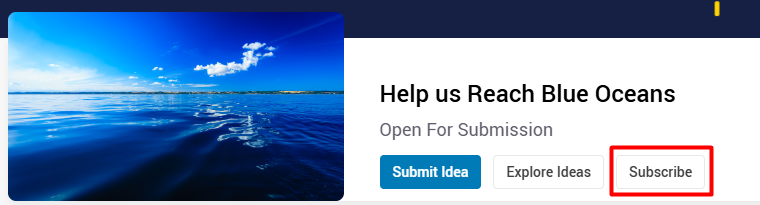
Users who are not Campaign Managers will be able to see the Subscribe button while campaign managers are subscribed automatically.
How to subscribe to ideas/projects/other entities.
When a user subscribes to an idea, they receive weekly notification of comments posted to idea.
An author is automatically subscribed to their own ideas though they can choose to unsubscribe. In a similar way, commenters will be automatically subscribed to the ideas they are commented to.
Audience members can easily subscribe/unsubscribe to ideas by clicking on the bookmark icon.

When users are subscribed to a campaign or an idea, they will be notified only about information that is visible on the system. Regular users will not be notified on moderator comments or on configuration changes, such as state changes. When a comment is made anonymously, the subscriber will be notified that a comment was made but will not know the identity of the commenter.
Users can adjust their subscriptions from their user profile page, and selecting the subscriptions tab.
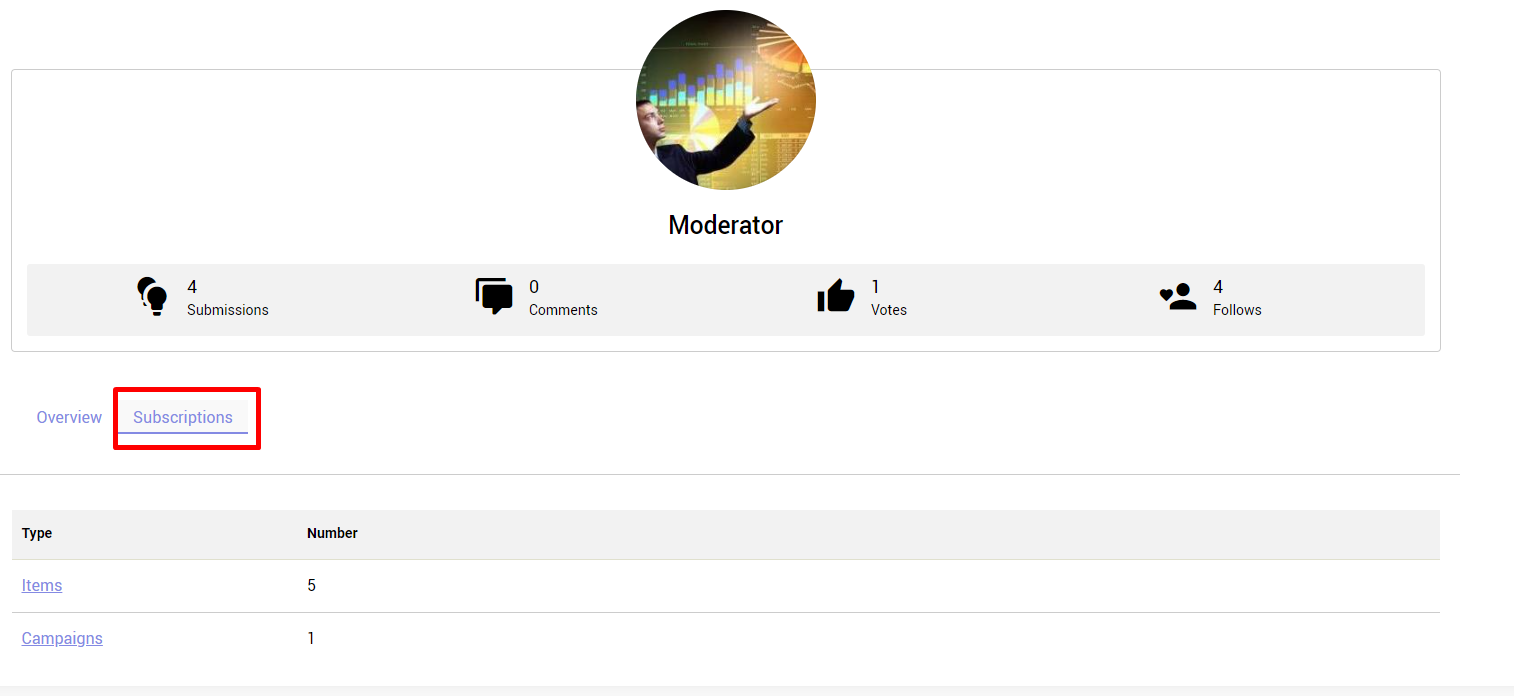
Users can adjust the frequency and type of notification they receive.
Send Interval - Determines how often a notification email will be sent when new content is added.
On Updates - A notification will be sent when new information is added to the idea.
On Comments - A notification will be sent when new comments are added to the idea.