
The workflow notifications to the campaign participants are essential to maintain transparency and ensure efficiency.
However, in some cases, the campaign managers may want more control over the notifications sent to participants. This flexibility can be achieved by disabling specific notifications (that are already defined at the subsystem level), so they will not be sent at campaign level.
How Does it work?
Campaign managers can access the setting within the campaign menu and choose which notifications to skip for that specific campaign.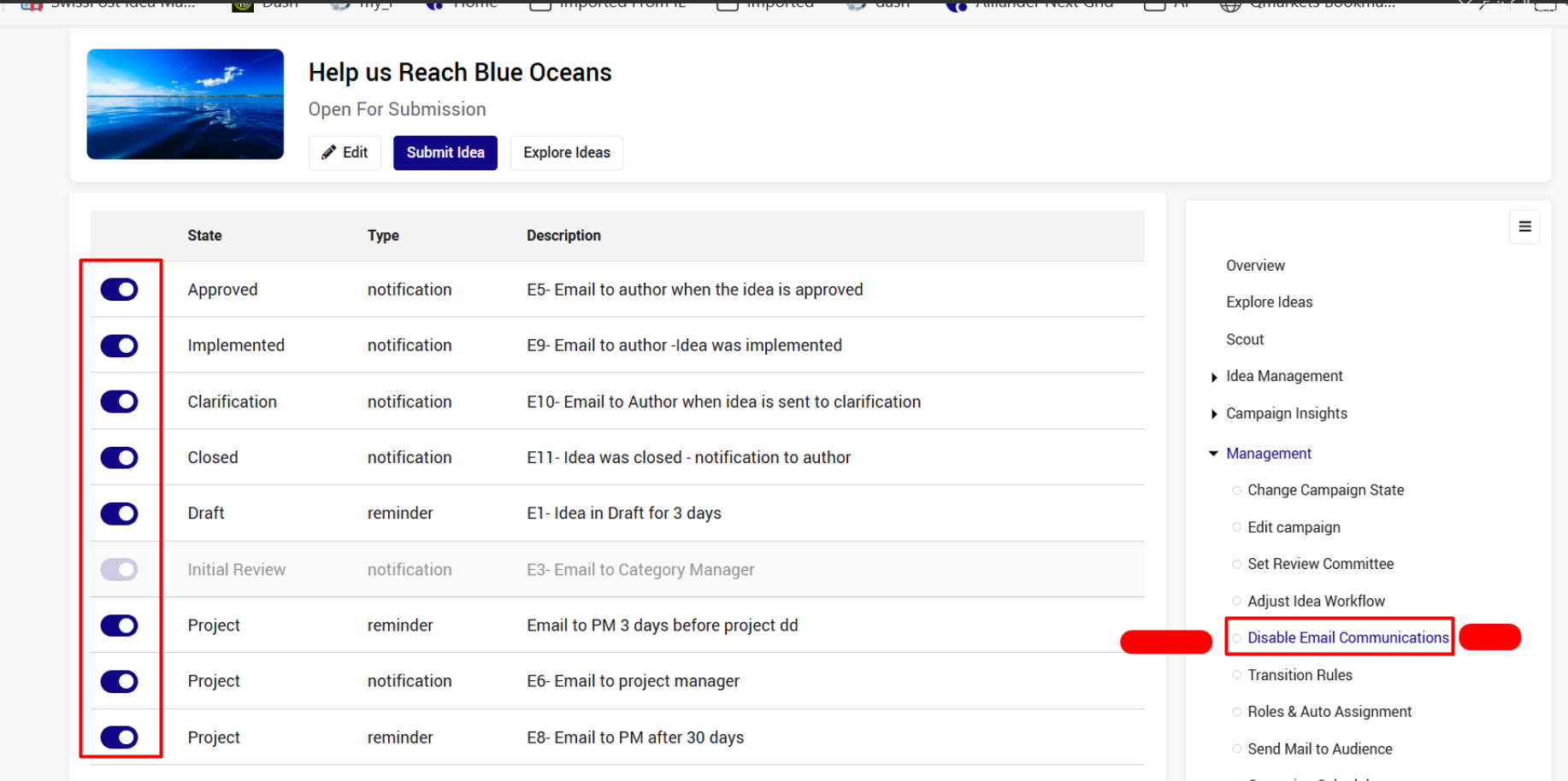
Please note that email notifications related to states that are disabled at the campaign workflow, are not applicable anyway, and therefore cannot be disabled/enabled.
In the example above, the “Initial Review” state is disabled, so the notifications associated with this state are not relevant.