
Background
Assigning users manually to a role is usually done when moving an idea to state in which this role is assigned as a state owner.
This usually apply to roles that their assignment method is “User Direct Selection”.
For example:
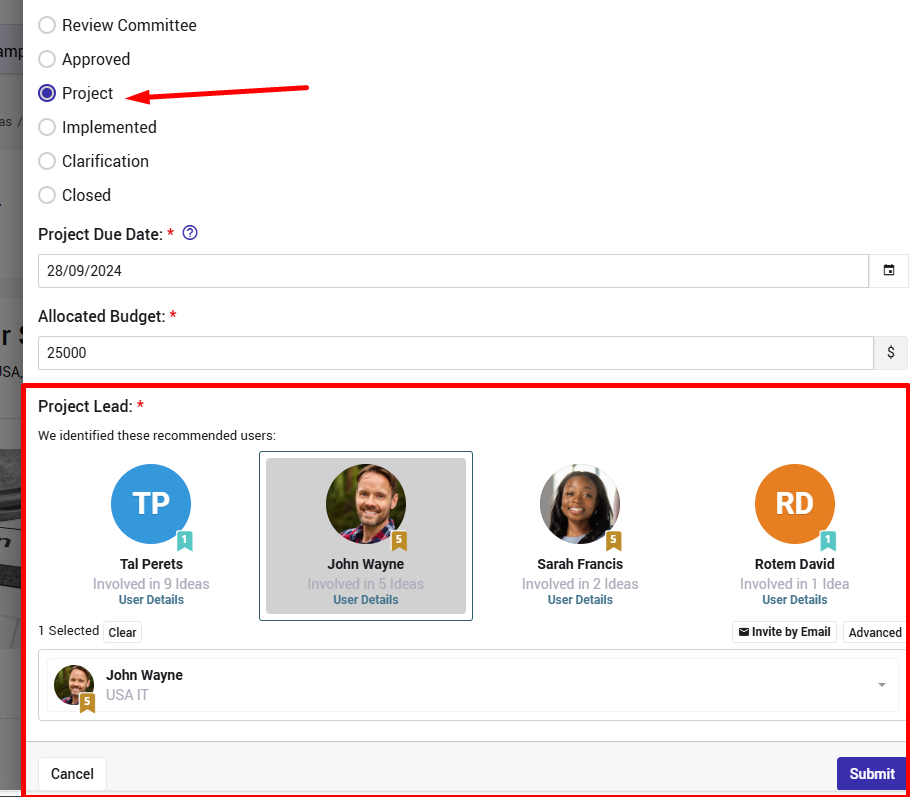
If the role "project lead" is assigned as a state owner of the state "Project":

When a user moves an idea to this state, he/she will be able (and usually forced) to define who is the project lead (in addition to filling other prerequisite fields):
Note:
In such cases it is recommended to enable the smart recommendation feature as explained here.
Reasons for not being able to assign users via the "Process" pop up window
- The role is assigned automatically.
There are several assignment methods as explained here. In case of an automatic assignment will happen on the background and will NOT be exposed to the user that moved the idea.
The only exception for this will be if this checkbox is checked, which means that auto assignment is a default assignment that can be changed.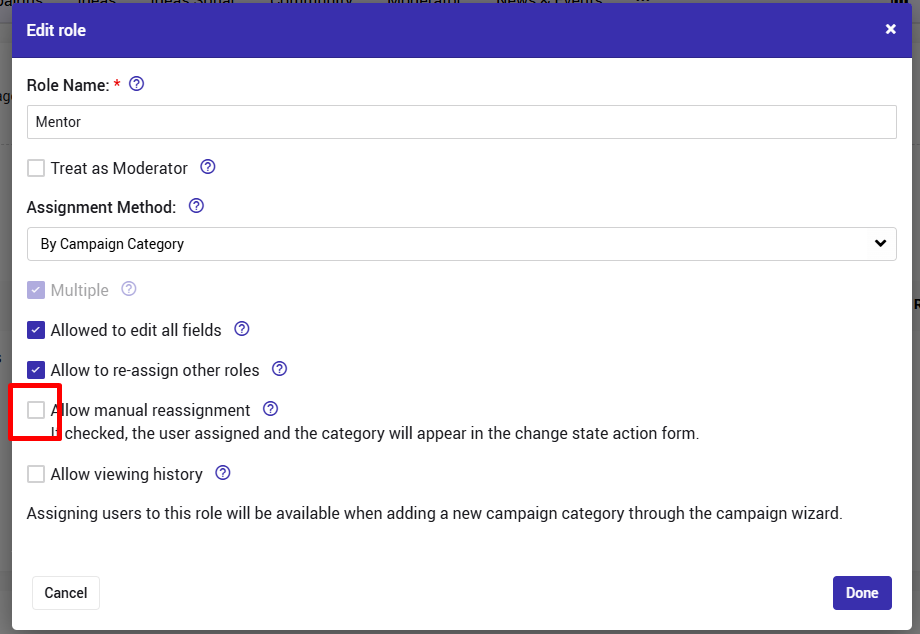
- The role is not assigned as a state owner for ANY state
In such case there is no "reason" to include the role assignment in the pop-up up window,
Alternative Option to assign users
The role can still be assigned manually by:
Opening the idea.
Clicking “Edit / Reassign”.
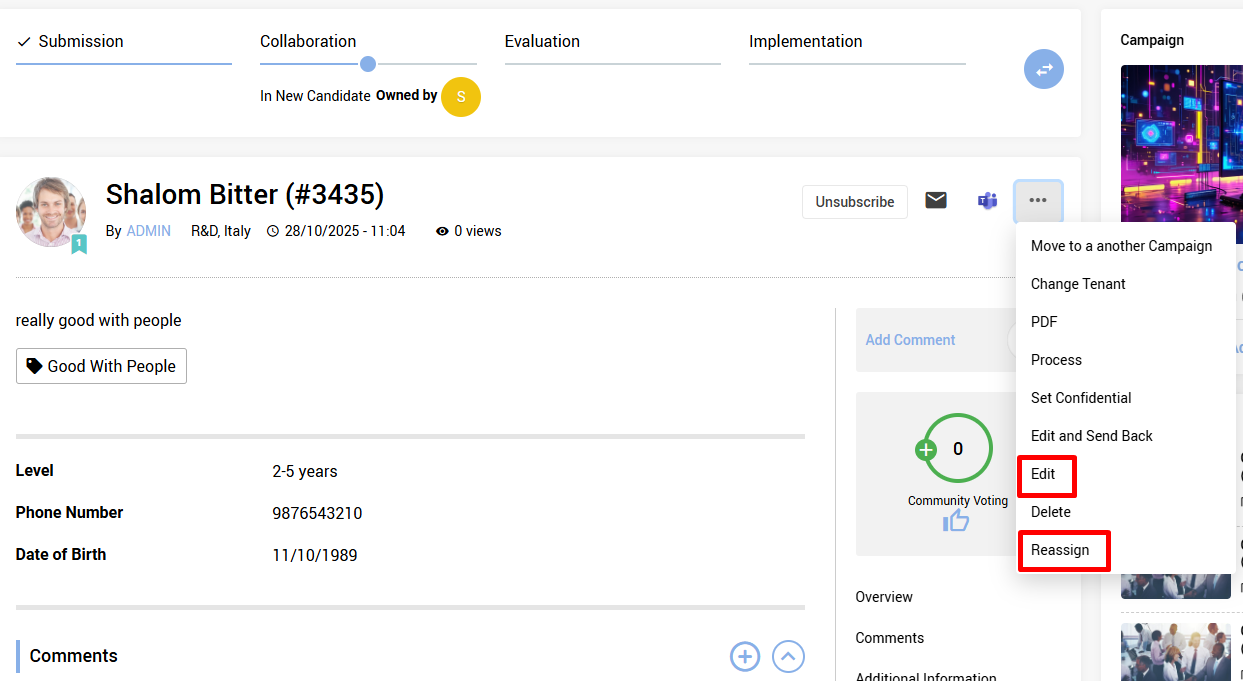
Scroll Until you find the role and the option to select a user for it.
Don't forget to submit
Notes:Only users who are authorized according to the workflow settings or designated moderators -can "Edit / Reassign".
Once a user is assigned manually to a specific idea/entity, the auto assignment rules will NOT apply any more for this role on this idea/entity.
i.e. the assigned user will be assigned until changed again manually.
If you were not sure is a user was assigned manually or not, check the revisions/consult w Qmarkets support.