
Qmarkets supports validation rules for date fields to help ensure data consistency and prevent invalid date selections.
These validations can be configured for any date field whether it's a submission form field or a workflow field.
By default, no validation rules are applied.
The following validation options can be added when creating/configuration the date fields.
There are one validation which is a select field, and 3 check boxes.:
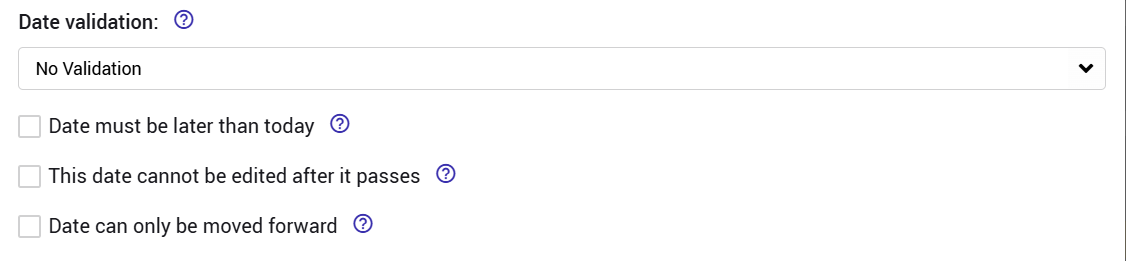
Notes: validations 2,3,4 are available only as part of the advanced configuration setting.
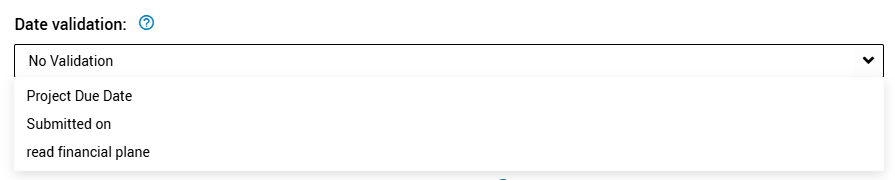
1. Date Cannot Be Earlier Than Another Date Field
Ensures chronological consistency between related date fields.
Example Use Cases:
- A Task's End Date must be after Start Date
- Implementation Date must be after Approval Date
To use it just select the field date which the current date needs to be after.
2. Date Must Be Later Than current date
Prevents users from entering a date that has already passed.
Example Use Cases:
- Target completion dates
- Planned implementation dates
- Future event scheduling
3. Date Cannot Be Edited After It Passed
Locks the date field once the selected date has passed.
Example Use Cases:
- Commitment deadlines
- Milestone dates
- Official submission deadlines
4. Date Can Only Be Moved Farward
Prevents users from moving an existing date to an earlier point in time.
This option is recommended to be used for official submissions processes against RFPs, competitions etc.
Example Use Cases:
- Project timelines
- Delivery commitments
- Planned launch dates