When adding a field in the submission form settings, there is an option called “Include in Additional States.”
Under this option, you can select states in which the field will appear in the idea's overview.
To add this option, go to <URL>/self-admin/sys-components/advanced-conf and check the 'Advanced Workflow Settings'
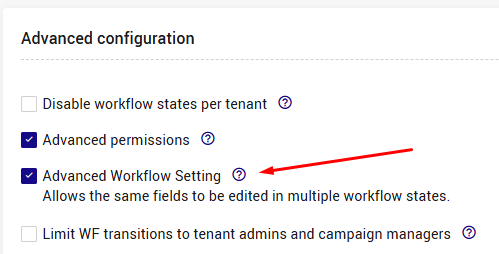 Click 'Save'.
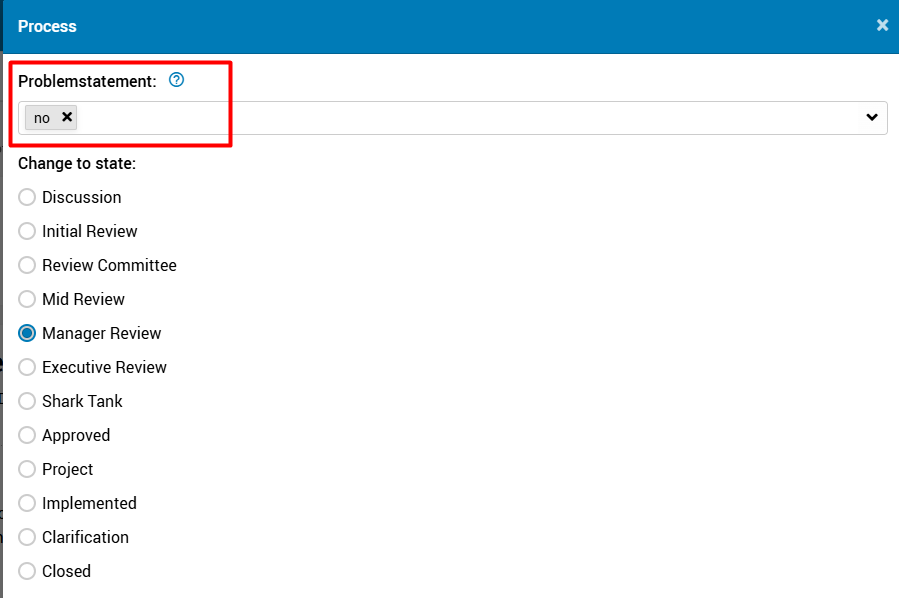
When transferring the idea from these states to another state, the field will be editable in the transfer pop-up window.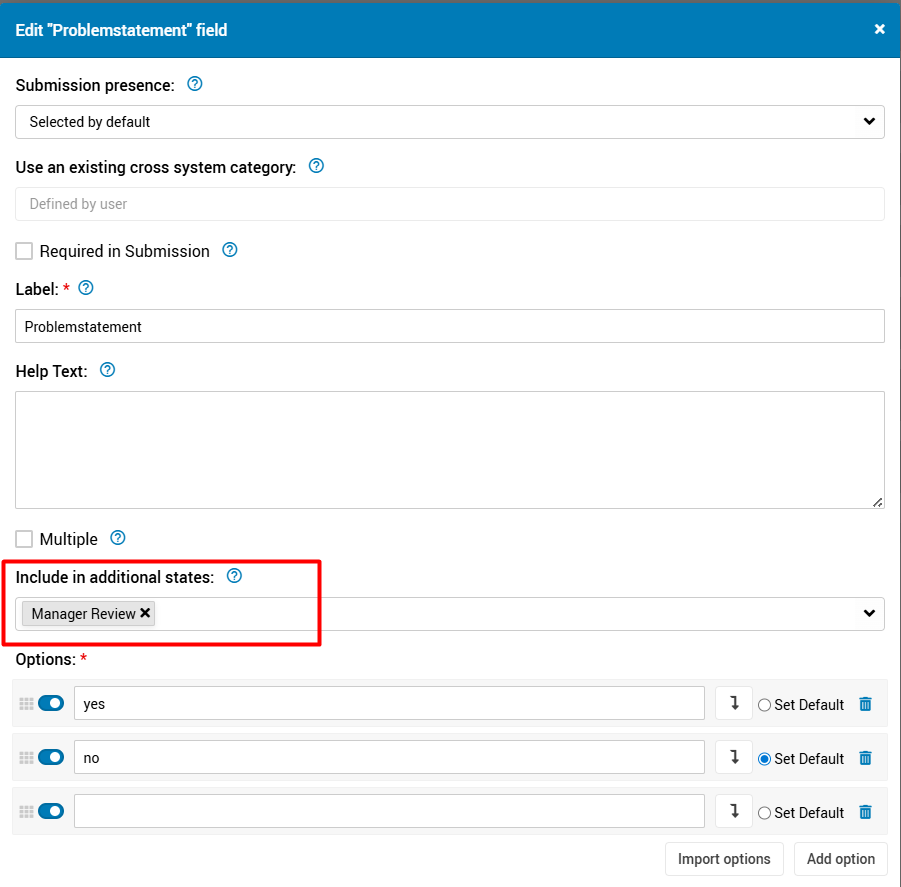
Note: The field will not appear in selected state for campaigns where the field is not included in the submission form.
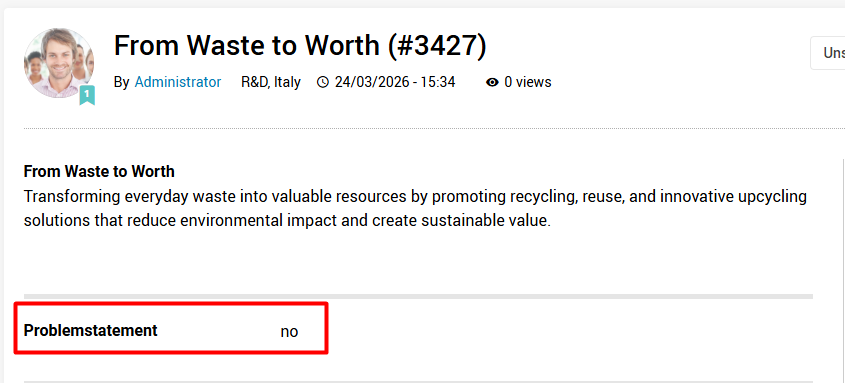
How does it look:
- Idea overview -
- Transition popup when moving from that state to another -