
There is no question that promoting the current open campaigns/challenges to the homepage to the homepage is an effective way to increase engagement and collaboration.
But what is the best way to display the campaigns? well... it depends...
And this is why there are several display types that can be used, and the sysadmin can switch between them based on the organization needs and culture.
The relevant parameters are the number of active campaigns that most users will be exposed to, the style of the campaign images that are most likely to be used, and campaign info needs to be shared.
First decision: How to display the campaigns
i.e. what will be the presentation type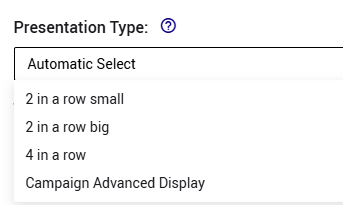
- If you usually have a large number of campaigns, the best option will be "4 in a row", so the users can be promoted with a large number of campaigns: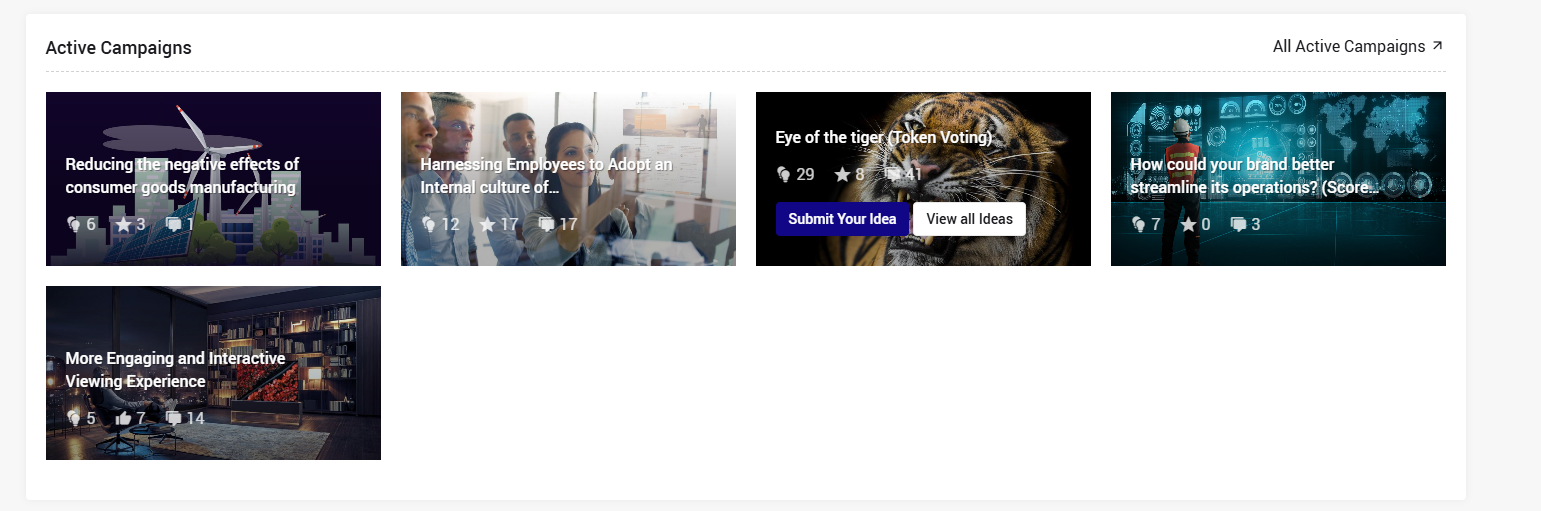
- if you do not have so many campaigns, and want to have a more "spaced look", and be able to include sharing who are the top contributors to each campaign, select the "2 in a row big" option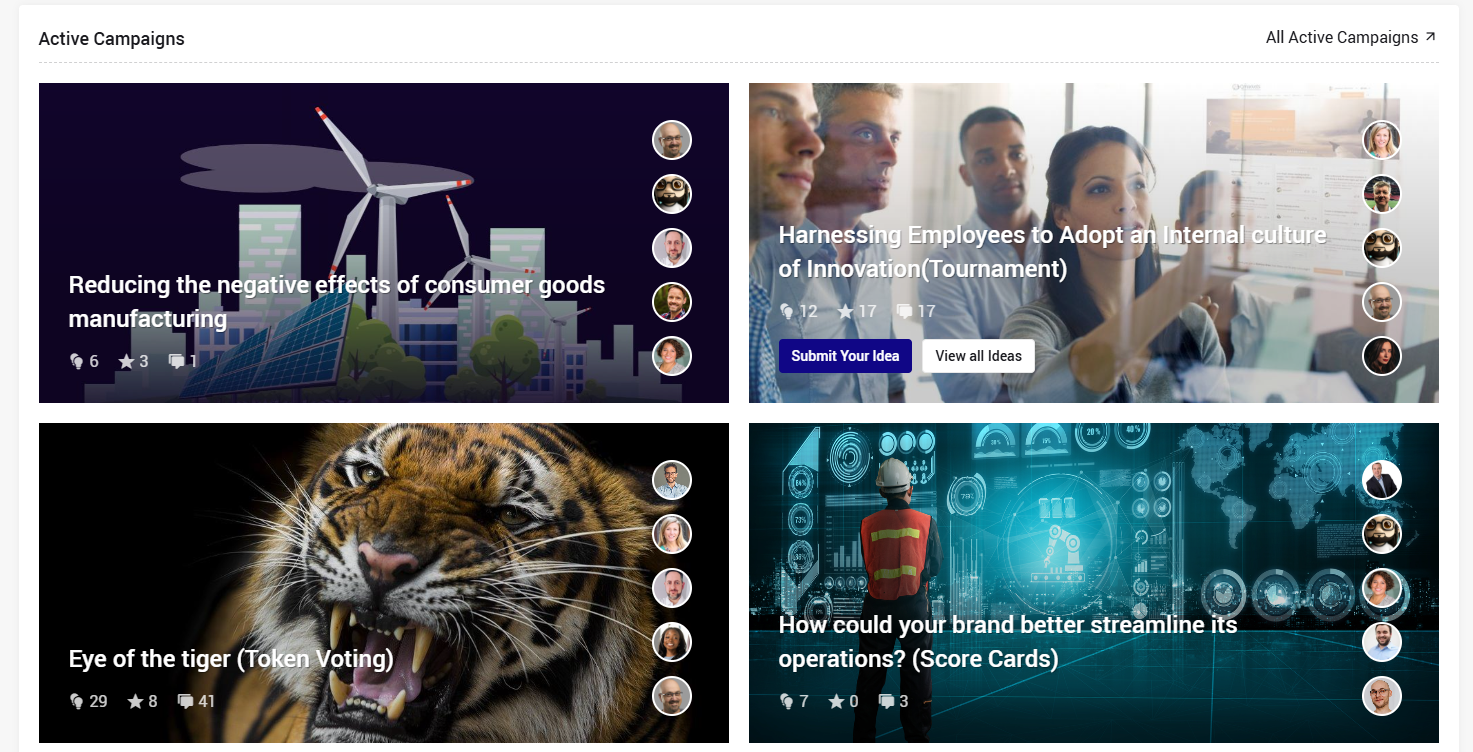
- If you wish to share not only the campaign title but also the campaign question, AND/OR have "busy" images and want to have the text to be displayed side-by-side to the picture (and not above), use the "2 in a row small" option.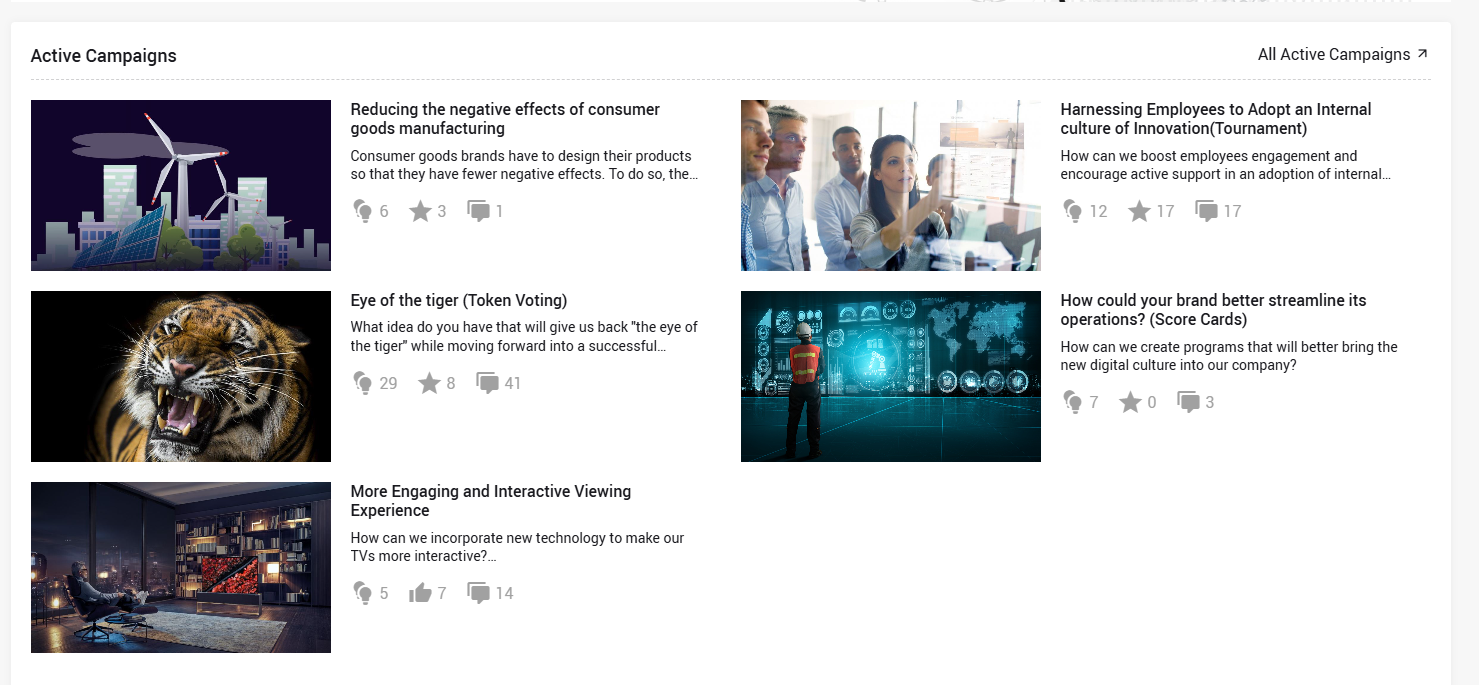
- If you wish to share not only the campaign title but also the campaign question, AND/OR have "busy" images and want to have the text to be displayed side-by-side to the picture (and not above), use the "2 in a row small" option.
- If most of your users will be shared for different number of campaigns, the best options will be "Automatic Select". when this option is selected, the display will automatically self-adjust based on the number of campaigns each user sees.
For example. this is how it looks when the user is exposed to a single campaign: 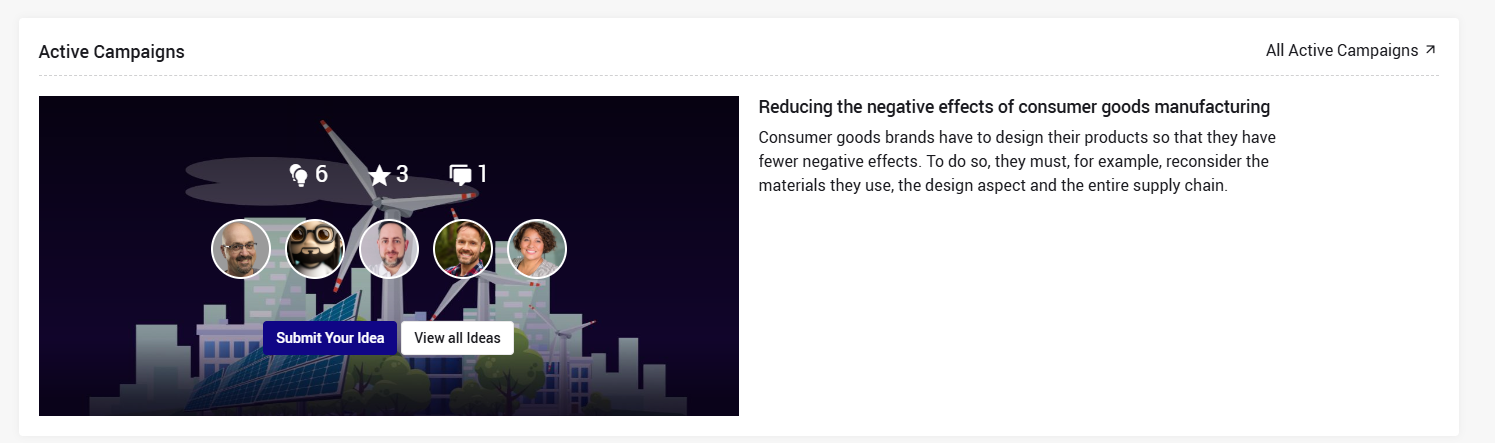
and this is how it looks when the user is exposed to 3 campaigns: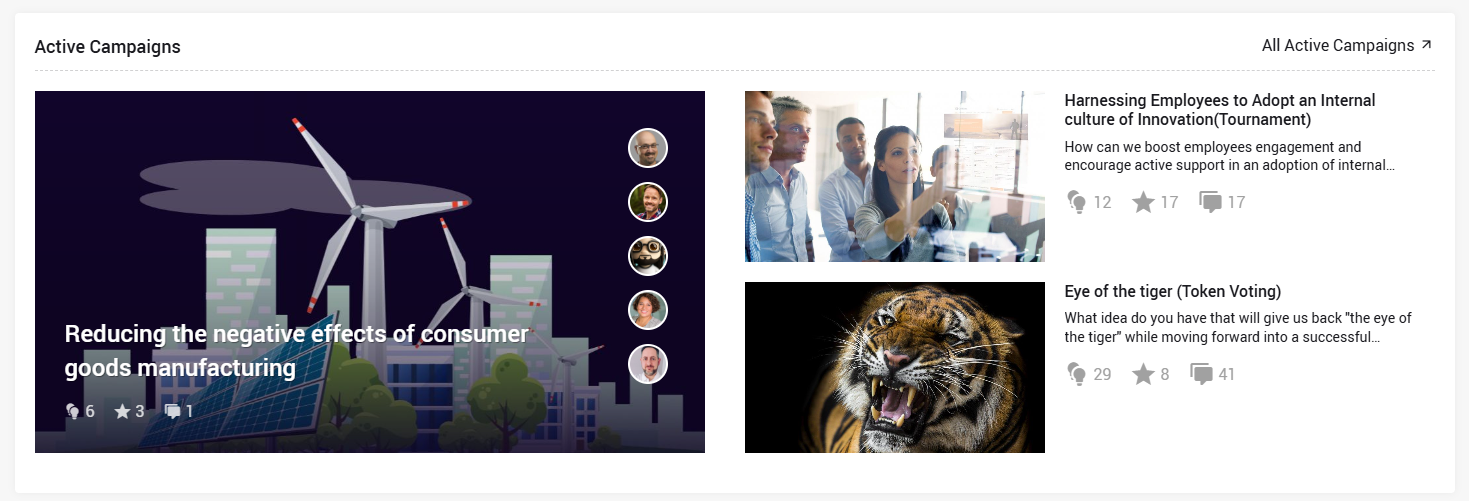
- In case you would like to share also info like the campaign state. additional campaign dates, the country/department the campaign belong to, and/or campaign categories should use the "Advanced Campaign Display" option.
This display type is recommended to open innovation systems.
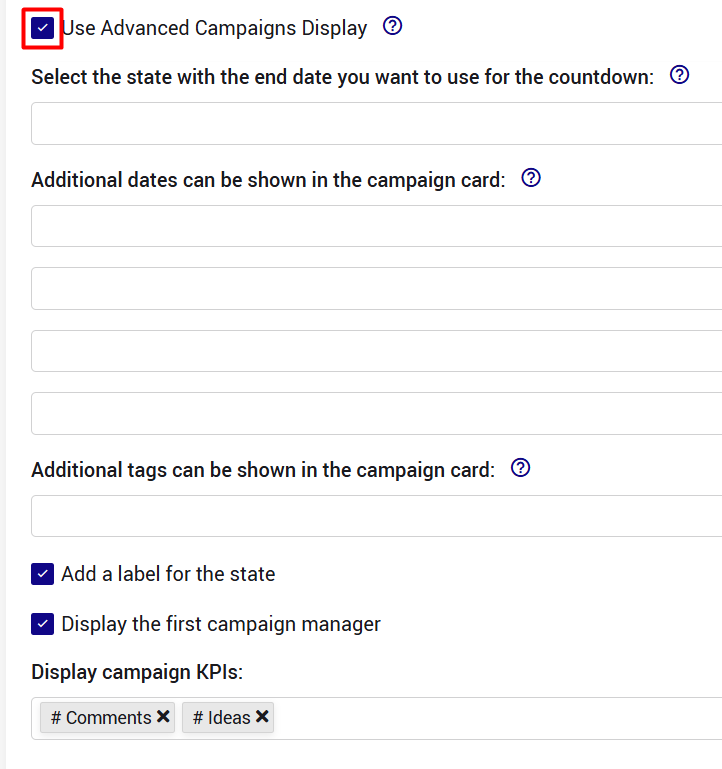
Note that the setting of this option (i.e. what information will be display) is configured in the subsystem settings → campaigns section:
The Advanced Campaign Display provides several additional configuration options to better tailor once or more from the below:
- Countdown reference date – Select which campaign date the countdown should refer to.
- Additional campaign dates – Display up to three additional campaign dates below the campaign image. (up to 4) .
Please note only future dates will be displayed. - Tags and select fields – Display up to two tags or select fields at the bottom of the campaign card. (up to 2)
- Campaign KPIs – Highlight key campaign metrics directly on the campaign card, providing users with quick insights into the campaign's progress and performance.
- Campaign Manager – Show the name of the 1st Campaign Manager on the campaign card, making it easier for users to identify the campaign owner and know who to contact for additional information.
These are 2 examples for how it can look: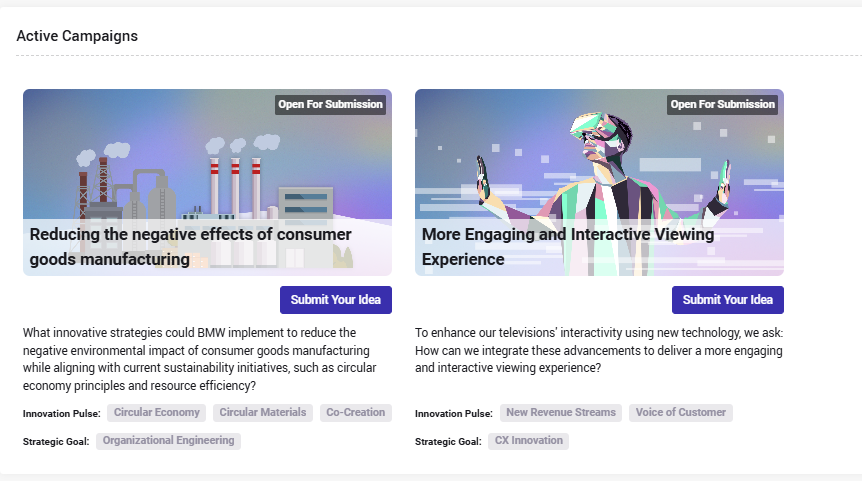
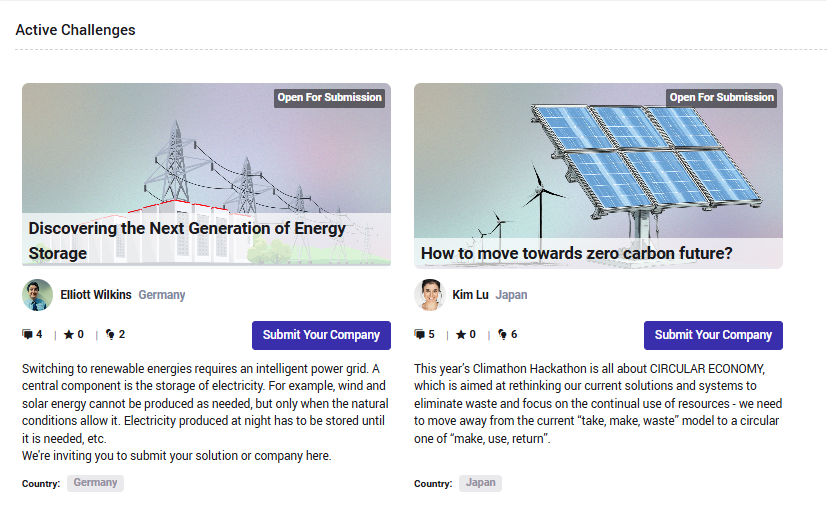
These options can be enabled or disabled individually, allowing organizations to customize the campaign cards according to their communication needs.

This is how the setting looks:
Additional decisions that need to be taken:
- How many campaigns to display
- Whether to promote a specific campaign like explained here
- Whether to include users' icons that represent the top contributors of each campaign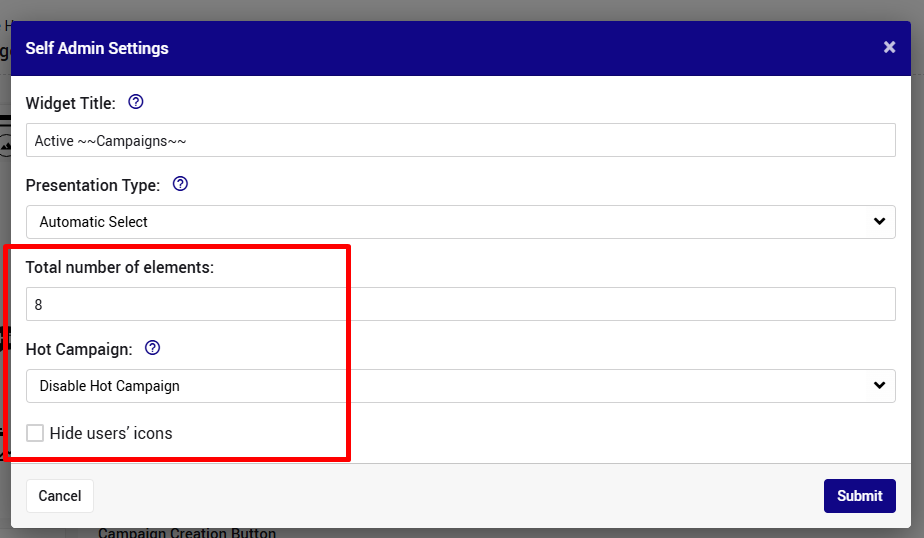
The setting of the above, is done from the homepage section on the subsystem setting page as explained here.