
Being able to connect between entities (ideas, companies, trends etc.) of different subsystem is a capability which is automatically supported once you purchase more than 1 subsystem.
The connection is displayed on the idea pages in a dedicated section, and can be easily configured by the customer to include any additional information from the connected entity.
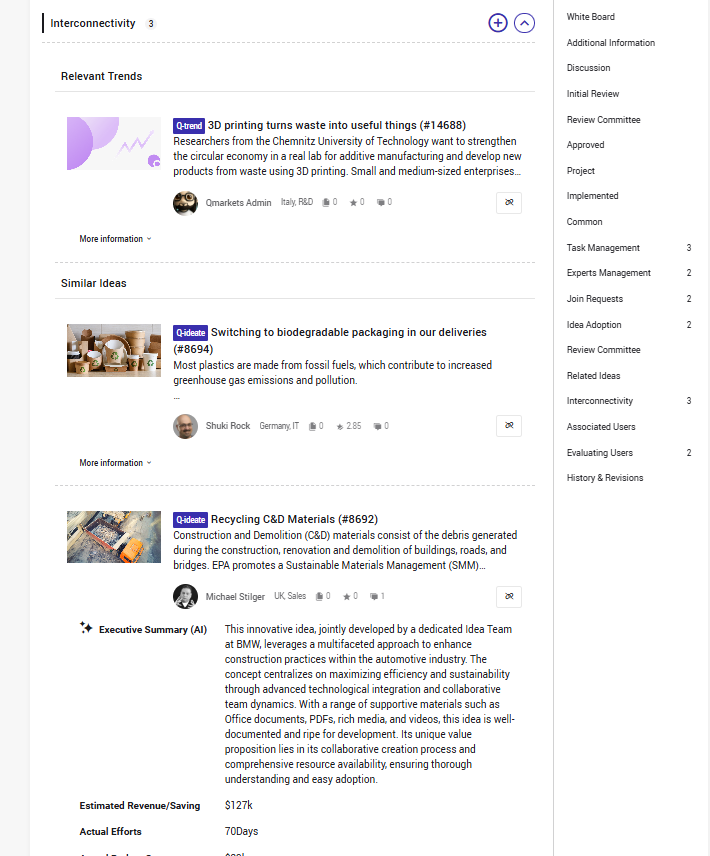 In addition, various reports (including the sonar) and tables can include and be filtered/grouped based on connection to the other entities.
Ideas can be connected by authorized roles (sysadmin, challenge managers, state owners etc.), and will be displayed/exposed to specific users only if:
- The user has permission to see the dedicated interconnectivity widget
- The user has permission to view the specific connected entity, i.e. it belongs to a subsystem/tenant/challenge it has access to.
It’s important to mention that the connection is not hierarchic, i.e. both entities stay workflow state they are currently at.
This course covers everything you need to know regarding connecting different entities in the ecosystem
Related Articles:
The Difference Between Interconnectivity and Related Ideas Features
Connecting between Ideas - How to use the Related Ideas feature