
When there is a need to add guidelines, welcome messages, or separators to your submission forms. It can be done by using the Static Text field. To make this text look good (add colors, bold text, or links), we use simple HTML.
Static Text fields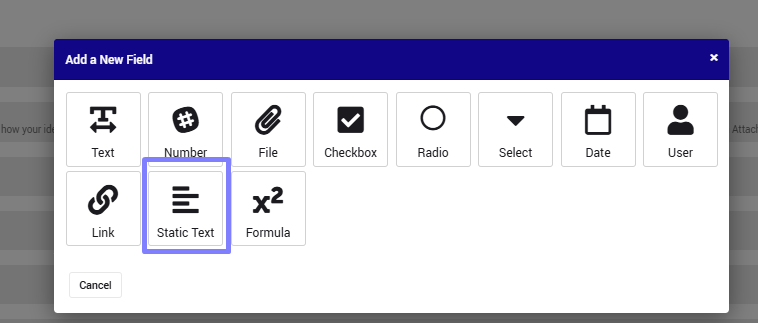
Content Box (in a field)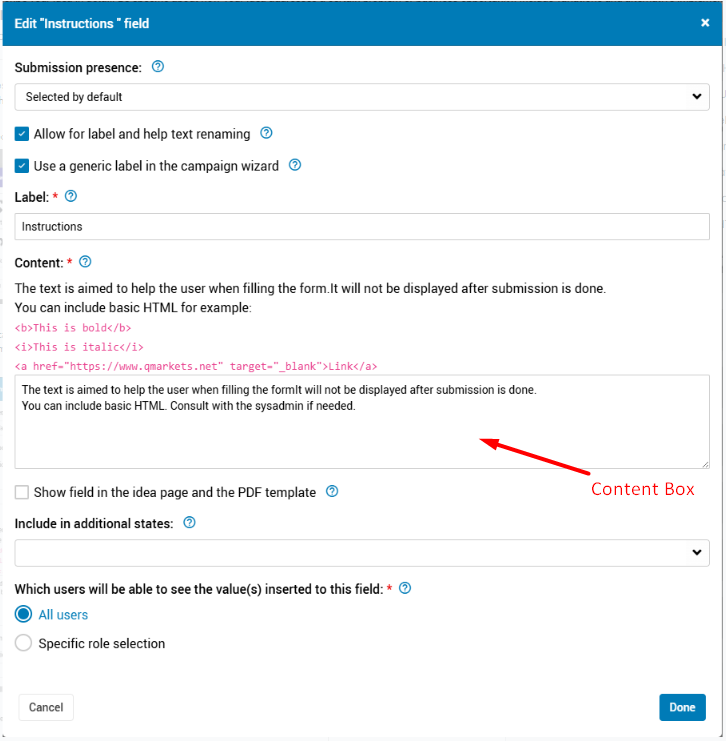
Wait, what is HTML?
Think of HTML as "formatting labels". Like highlighting a text in" Word" with "Bold," here we wrap the text in "tags" to tell the system how to display it.
The logic is simple:
<tag>The Text</tag>For example: To make the word "Hello" bold:
<b>Hello</b>.
Below is a Copy-Paste Library with examples. You can simply copy the code snippets into the Content box of your field and replace the text with your own.
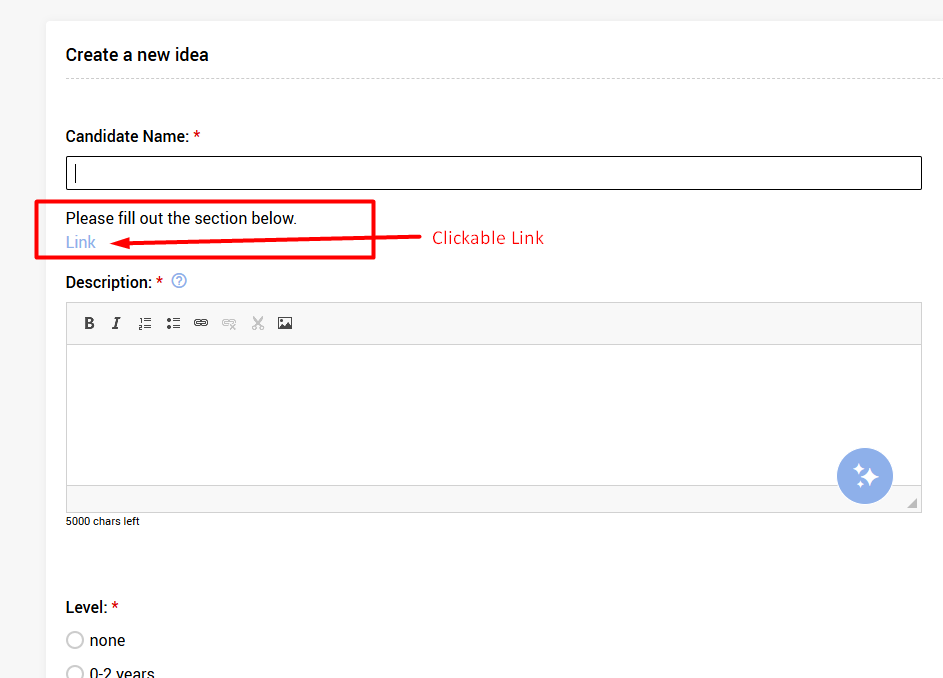
Beneath each example, there is a picture on how it looks in the actual submission form
1. Basic Text Styling
Use these standard tags to emphasize words or create line breaks.
<b>= Bold<i>= Italic<u>= Underline<br>= Line Break (New line)
<b>Welcome to the submission form</b>
<br>
Please generate <i>ideas</i> to help advance our workplace <u>productivity</u>.
<br>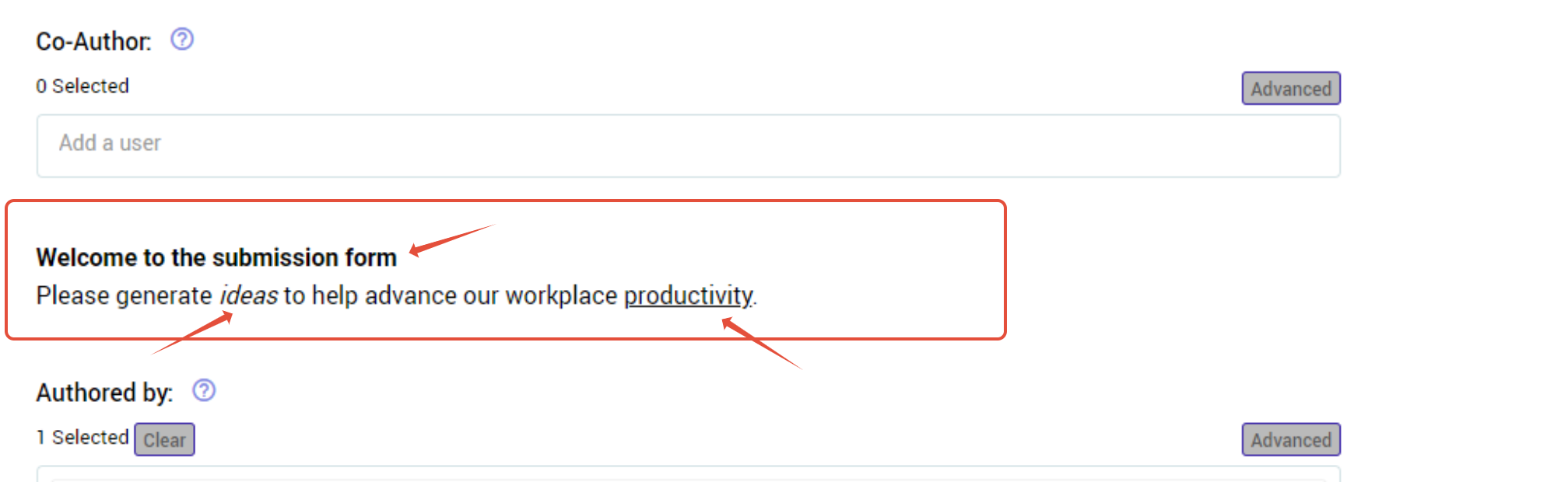
2. Adding Clickable Links
Adding links to external sites (like policies or guidelines).
the tag: <a href="INSERT URL link" target="_blank"> the text to have the link on </a>
Important: We included the code
target="_blank"in the example below. This forces the link to open in a new tab, ensuring users don't lose their form progress when they click it.
Please fill out the section below.
<br>
<a href="https://www.qmarkets.net" target="_blank">Link</a>
3. Headings (Font Size)
Using headings to create titles. h1 is the largest (Main Title), and h2 is slightly smaller (Subtitle).
<h1>Heading Level 1</h1>
<h2>Heading Level 2</h2>
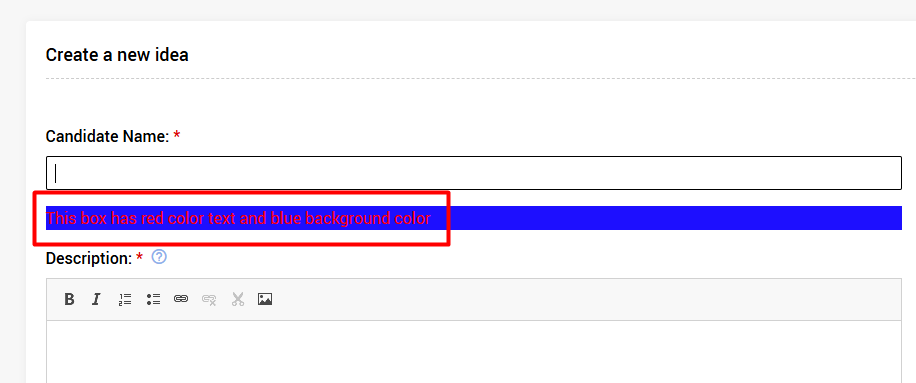
4. Colored Text Box
Tailor the visual impact of instructions with fully adjustable background shading and text colors
<p style="color: Insert desired text color; background-color: insert desired background color;">
This box has red color text and blue background color
</p>
Instead of "Insert desired text color" -is #FF0000
Instead of "Insert desired background color" - is #0000FF
5. Section Separator (Table Header)
Use this to create a solid-colored bar with a title. This is great for visually separating different parts of a long form (e.g., "Project Initiation Request").
<table style="width: 100%; background-color: #149DCC;">

    <tr>
        <td style="text-align: left; vertical-align: middle;">
            <p color="#000000"><b>PROJECT INITIATION REQUEST</b></p>
        </td>
    </tr>

</table>
Pro Tips & Troubleshooting
1. Finding Color Codes In the examples above, we used codes like #0000FF (Blue). Hex codes for any color are on sites like HTML Color Codes.
2. Handling Translations Using HTML code within the system's translation settings (Help Text), you must manually add target="_blank" to any links to ensure they open properly.
<a href="https://www.website.com" target="_blank">Link Text</a>